In modern geotechnical practice, analyzing soil susceptibility under seismic conditions requires increasingly rapid, precise, and rigorous tools. GeoStru LiquiTer NX represents the vanguard in this sector: an advanced web software designed to automate liquefaction analysis with AI starting from in-situ tests such as SPT, CPT, CPTU, CPTE, and Vs.
In this article, we explore the features that make this platform an indispensable tool for industry professionals.
Regulatory rigor in liquefaction analysis with AI
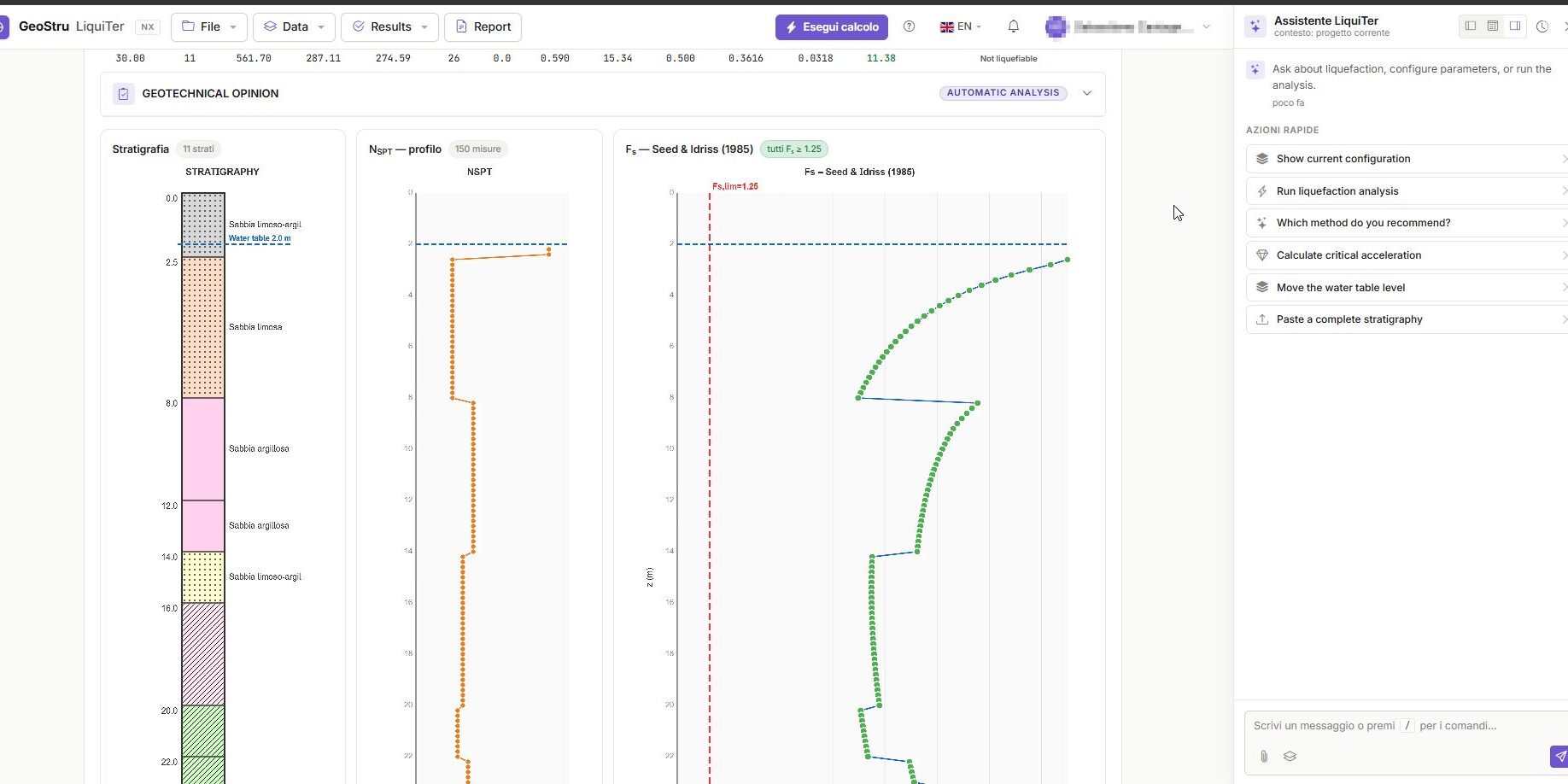
One of the most delicate steps in design is defining the seismic model. The liquefaction analysis with AI in LiquiTer NX simplifies this phase by automatically defining the study area: the system calculates the geographic coordinates and determines the reference seismic parameters according to current regulations.
After defining the general data such as seismic acceleration, magnitude, and groundwater level, the software allows assigning the subsoil stratigraphy, clearly and automatically distinguishing the above-water table zone and the below-water table zone.
Calculation methods supported by liquefaction analysis with AI
The program guarantees an in-depth analysis through the most authoritative literature and regulatory approaches. Relying on a liquefaction analysis with AI means being able to quickly process:
- Seed and Idriss method (SPT data): The system calculates total and effective stresses, applying the overburden correction and fines content correction, to then determine the seismic demand (CSR) and the liquefaction resistance (CRR).
- Boulanger and Idriss 2014 method (CPT data): It evaluates the soil behavior type index and the corrected tip resistance, to automatically define the CSR and CRR values.
- Andrus and Stokoe method (Vs data): It calculates the normalized velocity and compares it with its critical value for seismic analyses.
In all cases, the software calculates the Liquefaction Safety Factor (FS); if the soil is stable, the wording “soil not susceptible to liquefaction” is automatically reported
How Artificial Intelligence revolutionizes the workflow
What clearly distinguishes LiquiTer NX from classic spreadsheets is the integration of powerful artificial intelligence models. The use of liquefaction analysis with AI completely transforms the interaction with the user.
Smart import and liquefaction analysis with AI
Through Artificial Intelligence, it is possible to import any type of file (e.g., XLS, CSV, PDF, or other generic formats) without providing specific instructions. The system automatically recognizes the data, identifies the necessary fields, and prepares the geotechnical model.
Interaction via natural language commands
The user can interact directly with the model via natural language commands, drastically speeding up the liquefaction analysis with AI. Some prompt examples are:
- “Perform a liquefaction verification according to the code for a site located in Rome coordinates 41.893320, 12.482932”
- “Change the SPT of layer 2 to 22”
- “Assign to layer 2 the saturated weight of 22 kg per m³”
- “Set the groundwater level to 2 m”
Technical interpretation and graphical outputs
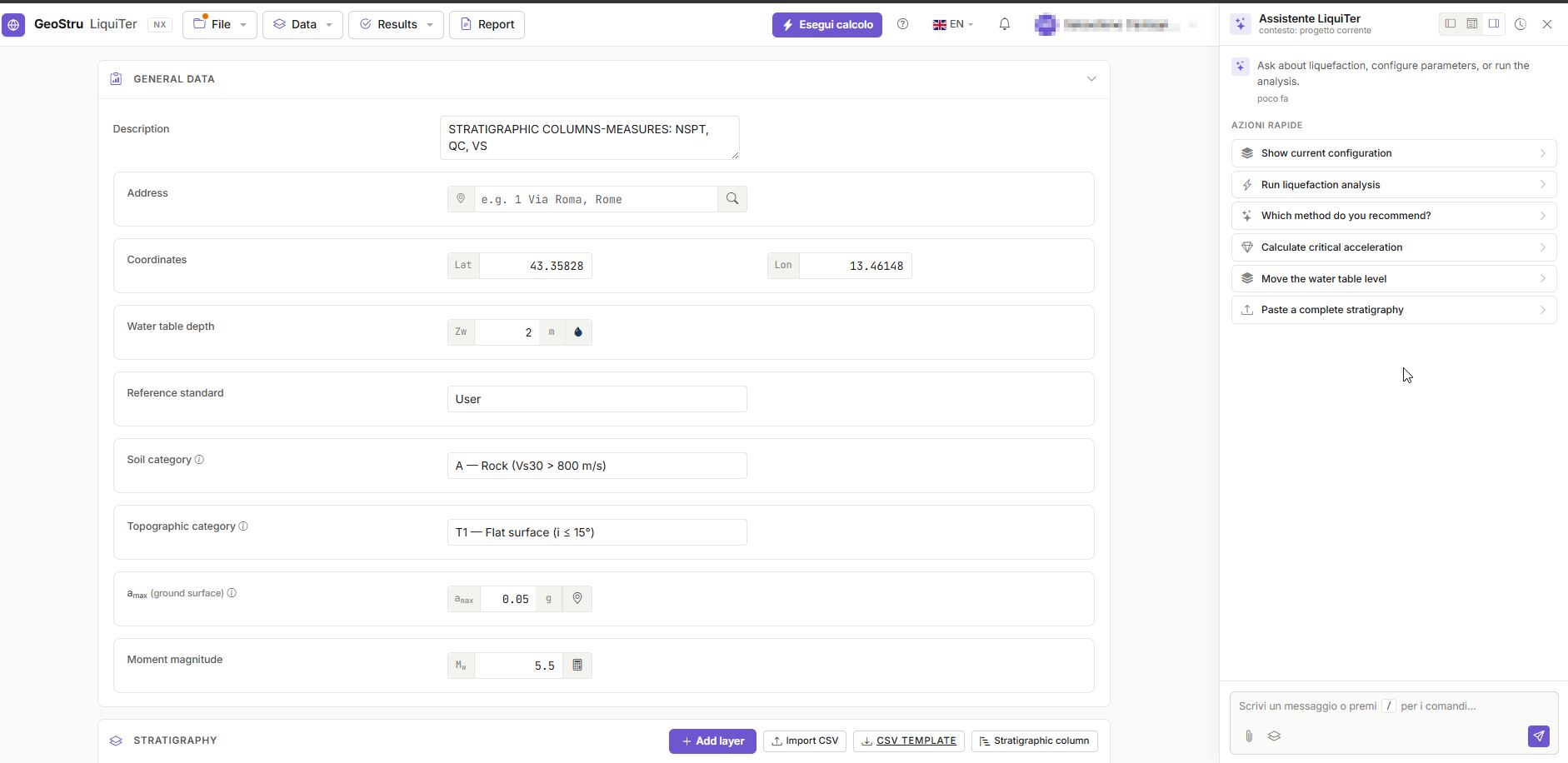
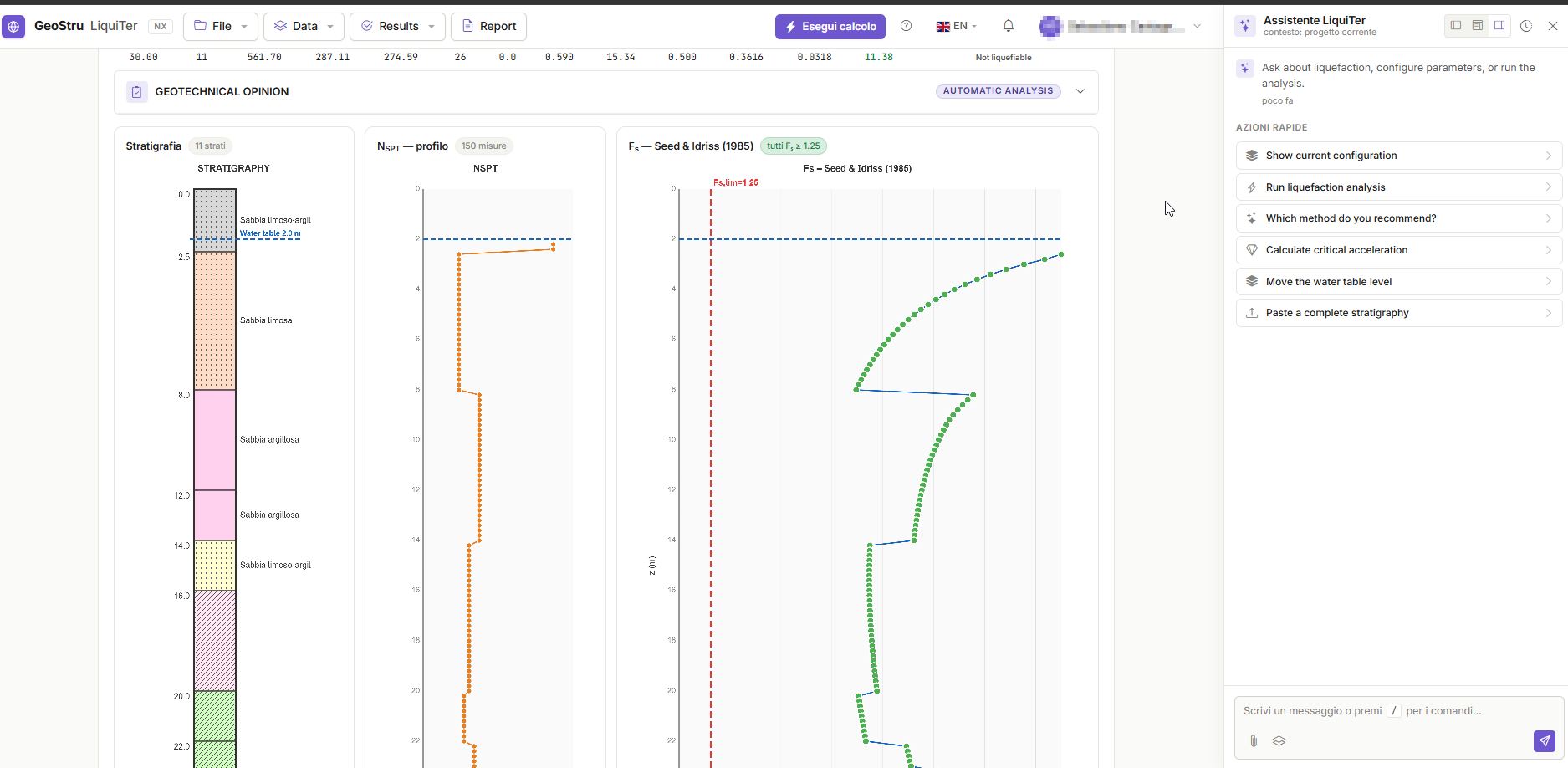
The results of the liquefaction analysis with AI are represented through interactive graphs that can be queried with a mouse, showing the identification of the liquefiable layers, the critical depth, and the minimum factor of safety.
The system can perform automatic verifications and provide technical interpretations: it determines the critical acceleration and formulates a technical opinion on the liquefaction verification. Everything is supported by a fully customizable calculation report and the drawing of the stratigraphic column.
Conclusion: the unified environment for professionals
Combining regulatory rigor and advanced automation, GeoStru LiquiTer NX offers a unified environment for liquefaction analysis based on SPT, CPT, and Vs data. Adopting liquefaction analysis with AI guarantees regulatory consistency, traceability of results, and reduction of operational errors, representing an advanced tool for professional practice.
🎥 Watch the software in action! To learn more about its features, we invite you to watch the demonstration video on the official YouTube channel:
Try it now at www.geostru.ai